App Remover download for android 9.0 (P)
APK file App Remover 1.3.2 compatible with Android 9.0How to install APK / APKS / OBB file on Android
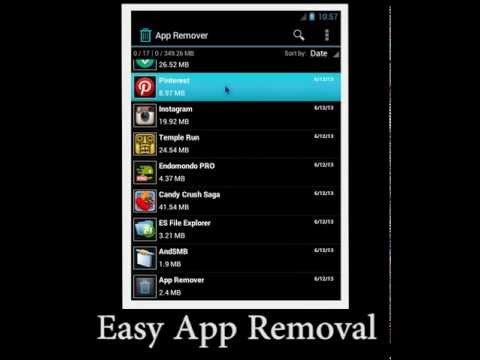

An easy and intuitive app remover for those apps you no longer want or need!
Got apps that take up too much space or just installed an app you did not like?
Maybe you are not sure which apps to remove or just have too many icons.
Then this easy uninstaller is the one for you!
★ Easy and simple interface
★ Sort by name, date and size
★ Fast app search
★ Select multiple apps to remove (batch removal/batch uninstall)
★ Displays size, install date and app icons
★ Counts the number of apps you have selected
★ Simple and uncomplicated design
★ Fast app listing and scrolling
★ View app in play store (google market)
★ Open/run app
★ View detailed application information
If you are tired of clicking through the settings menu in order to get to the application manager where you can uninstall apps, then this simple tool will help you get a quick and easy overview off your installed apps.
To remove apps that you no longer need is a good idea! It will in many cases save your battery life and increase your phone storage. Removing unneeded applications could make your cell phone faster while preventing battery drain.
Try it today!
**FAQ**
Q: How do I view an app in google market/play store ?
A: To view app in google play (google market): long press on an app to get a menu.
In this menu you will find "View in play store".
Q: How do I turn off batch uninstall mode ?
A: Click on your settings/options key or the right top corner of the app (three dots).
This will bring you to the settings menu where you can enable or disable batch mode uninstalls.
Please note: This uninstaller can not uninstall vendor or system apps.
- LicenseFree
- File nameApp Remover
- File Version1.3.2
- Package namecom.lodecode.uninstaller
- Size1.3 MB
- UploadedJuly 3, 2017
- Android2.3 or later
- CategoryProductivity
- DeveloperLodecode
- Developer site
- Developer emaildev@lodecode.com
- md5 hash8911eb54f6b95a5e3b7c1a373b720093
- Architecture-
- Permissionsshow (3)